aa.png)
System design interview prep gets much easier when you stop trying to memorise every architecture on the internet. Learn a small set of foundations, use the same decision sequence on every prompt, and practise explaining your choices under a clock. Your goal is to make sound trade-offs visible, not to produce a perfect diagram.
What are interviewers actually scoring?
A system design round tests how you handle an unclear engineering problem with another person in the room. The diagram matters, but it is only evidence of the thinking behind it. Interviewers are listening for how you clarify the product, choose priorities, estimate scale, split the system into parts, and defend decisions when the requirements change.
That changes how you should study. Knowing that a cache can reduce database reads is useful. Knowing when stale data is acceptable, what invalidates the cache, and what happens during a miss is what makes the knowledge interview-ready. Each technical choice needs a reason tied to a requirement.
Communication is part of the technical signal. If you silently draw five boxes and then announce the answer, the interviewer cannot see how you reached it. If you explain every minor thought, you burn time and lose the main thread. Strong candidates state the decision they are making, name the options that matter, choose one for the current constraints, and invite a correction before going deeper.
Seniority changes the expected depth. A mid-level candidate may be judged mainly on a coherent end-to-end design and sound fundamentals. A senior candidate is usually expected to identify ambiguity earlier, expose operational risks, discuss failure modes, and make trade-offs that reflect real production experience. Staff-level conversations may spend more time on organisational boundaries, migration paths, or competing business constraints. Prepare for the level you are interviewing at, not for the biggest architecture you can draw.
What should you learn before practising full prompts?
Build a compact foundation that lets you reason, then add details when a practice problem exposes a gap. You do not need encyclopedic knowledge of every database or messaging product. You do need working mental models for the pieces that appear repeatedly:
- request flow through clients, DNS, load balancers, services, and storage;
- data modelling, indexes, transactions, replication, partitioning, and consistency;
- caching, queues, asynchronous work, rate limiting, and idempotency;
- rough capacity estimates for traffic, storage, bandwidth, and hot keys;
- reliability basics such as timeouts, retries, failover, backpressure, and observability;
- common patterns for feeds, search, notifications, file storage, and real-time updates.
Study these concepts through decisions rather than definitions. For a queue, ask what must happen if a worker crashes after doing the work but before acknowledging the message. For replication, ask whether the user can tolerate reading an older value. For partitioning, ask which key spreads traffic evenly and which access patterns become harder.
Keep one page of notes for each concept. Put the problem it solves at the top, followed by the main trade-off, one failure mode, and one prompt where you used it. This format forces the note to stay practical. A copied page of terminology feels productive but rarely helps when an interviewer changes the scenario.
Which framework keeps the interview moving?
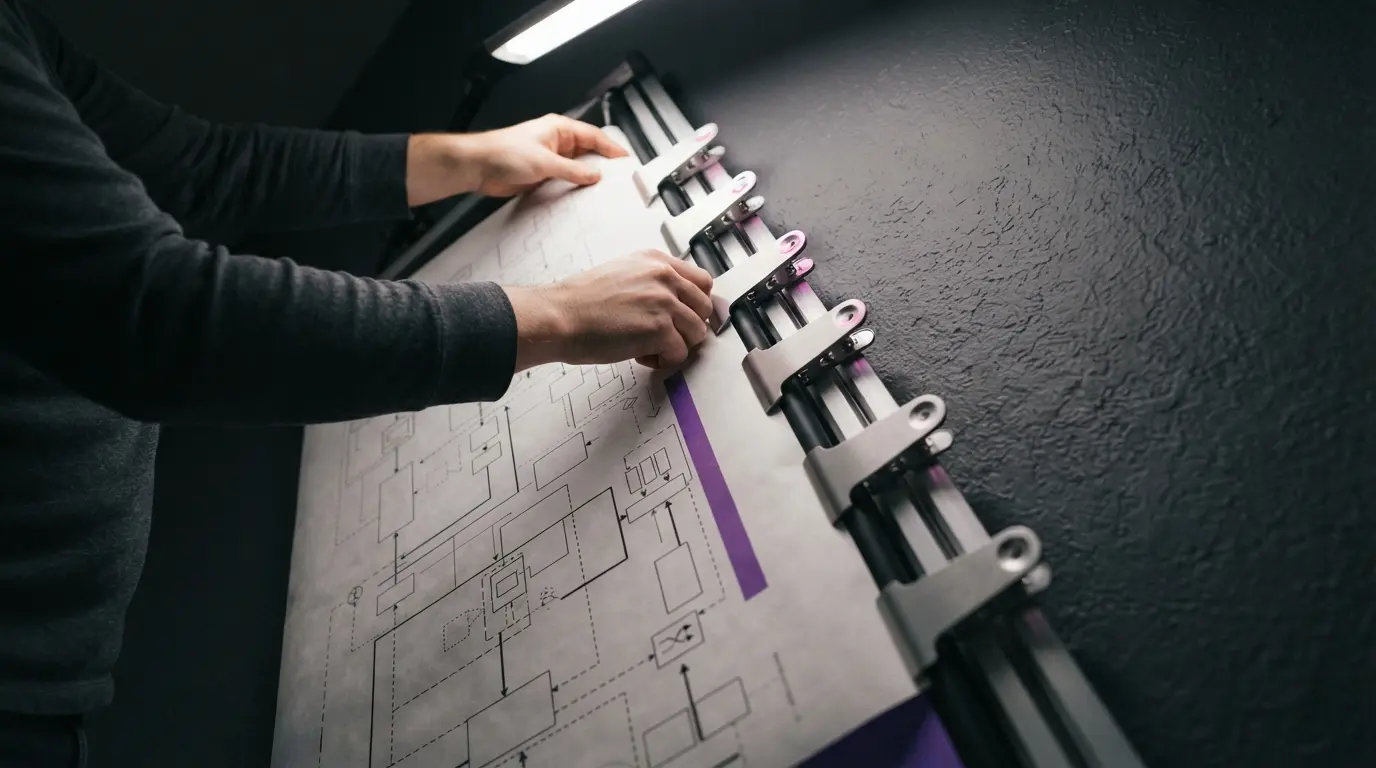
Use one framework until it becomes automatic. The exact labels are less important than maintaining a sensible sequence and checking in with the interviewer. A reliable version has seven moves:
- Clarify the users, core actions, boundaries, and success criteria. Separate must-have behaviour from features you can defer.
- Choose two or three non-functional priorities, such as availability, latency, consistency, durability, privacy, or cost. Do not claim that all of them are equally important.
- Estimate only the numbers that could change the design. Daily users alone may tell you little; peak writes per second, object size, retention, or fan-out can matter much more.
- Define the main API calls and data entities. This turns a vague product conversation into concrete reads, writes, and relationships.
- Draw the smallest end-to-end design that satisfies the core path. Make it work before adding scale machinery.
- Identify the likely bottleneck or failure point, then deepen the relevant part of the design. Let requirements choose the deep dive.
- Review trade-offs, failure handling, observability, and the next change you would make if scale grew.
This sequence prevents two common mistakes. The first is jumping to a familiar technology before the problem is defined. The second is spending half the interview estimating numbers that never affect a decision. When a number will not change your architecture, state a reasonable assumption and move on.
Use short verbal signposts as you move. You might say, “We have agreed that delivery can be asynchronous, so I will define the write path first”, or “The peak write rate is modest, so I will begin with one relational primary and revisit partitioning if the traffic estimate changes”. That gives the interviewer a clean opening to redirect you.
How do you turn reading into deliberate practice?
Reading builds recognition. Interviews demand recall, creation, and conversation. The bridge is a practice loop in which every attempt produces evidence about what to study next.

Use a 45-minute solo rehearsal before asking someone else to spend time on a mock. Give yourself five minutes for requirements, five for estimates and APIs, ten for the high-level design, fifteen for a deep dive, and ten for review. Speak aloud throughout. Record audio if you can, because gaps that feel invisible while drawing become obvious when you hear long silences or unexplained jumps.
After the timer, score the attempt from zero to two in six categories: requirements, prioritisation, end-to-end coherence, technical reasoning, failure handling, and communication. Zero means the area was absent or seriously confused. One means it appeared but lacked a clear reason or enough depth. Two means it was clear, tied to the prompt, and survived a follow-up question.
Do not average the score and congratulate yourself. Choose the lowest category and repair it before the next full prompt. If requirements scored zero, practise opening five prompts without designing them. If data modelling was weak, take one design and write the entities, keys, and query patterns. If communication wandered, repeat the same prompt with a one-sentence reason for every major component.
Keep a feedback log with four columns: symptom, likely cause, repair drill, and next retest. “Added Kafka without a reason” is a symptom. The cause might be reaching for a memorised architecture. The repair is to compare a synchronous call, a database-backed job, and a queue against the prompt's latency and delivery needs. Retest that decision on a different system two days later.
What does a strong walkthrough sound like?
Imagine the prompt is to design a notification service for email and mobile push. A weak opening starts drawing a queue, several databases, and separate microservices. A stronger opening asks which notification types are required, whether delivery order matters, how quickly messages must arrive, whether users can set preferences, and whether duplicate sends are acceptable.
Suppose the interviewer says notifications should usually arrive within a minute, users can opt out by channel, and occasional delay is better than losing a message. You can now state your priorities: durable acceptance, preference enforcement, controlled retry, and protection of downstream providers.
Define a send request with a recipient, event type, template data, and idempotency key. The write API validates the request and stores a notification record. A durable queue carries work to channel workers. Each worker reads the latest preference, renders the message, calls the provider, and records the outcome. Retries use backoff, and a dead-letter path holds repeated failures for inspection.
That is enough for the first end-to-end pass. Now choose a deep dive based on scale or an interviewer hint. If a popular event creates millions of notifications, discuss fan-out, partition keys, provider rate limits, and backpressure. If duplicates are the concern, explain where the idempotency key is stored and why provider retries can still require reconciliation. If preferences change during delivery, define whether the system checks them at enqueue time, send time, or both.
Notice what this answer does not do. It does not name a vendor unless the choice affects the reasoning. It does not pretend there is one correct database. It creates a traceable chain from requirement to component to trade-off. You can swap in another prompt and keep the same thinking sequence.
Practise transitions, not a script. “I will start with a single-region design because the stated availability target does not yet require cross-region writes” is useful. Memorising a fixed architecture for a URL shortener is fragile because one follow-up about custom aliases, abuse, or analytics can change the centre of the problem.
How should you adapt prep to the interview type?
Confirm the format with the recruiter when possible. “System design” can mean a backend distributed system, an API design, a frontend architecture, object-oriented design, data infrastructure, or machine learning system design. The opening framework still helps, but the technical centre changes.
For a backend round, spend more time on data flow, storage, consistency, partitioning, and failure handling. For an API round, focus on resource models, contracts, pagination, versioning, authentication, idempotency, and error behaviour. Frontend system design brings state management, rendering, network boundaries, performance, accessibility, and component ownership closer to the centre. Object-oriented design calls for entities, responsibilities, interfaces, and change-friendly boundaries rather than a fleet of distributed services.
Your work history should shape the examples you use. If you have operated a queue under load, bring up a real lesson about retry storms or monitoring when it fits. If your background is frontend, do not fake years of database operations. Show sound fundamentals, ask good questions, and use your strongest experience to add depth where it is relevant.
This is also where your prep should diverge by level. Mid-level candidates benefit from completing several clean, common designs. Senior candidates should revisit those designs with migration, incident, and capacity questions. Ask what breaks first, how you would ship the change safely, which metric would reveal trouble, and what trade-off you would explain to a product partner.
What can you accomplish in 14 days?
Two weeks is enough for a focused cycle if you already write software professionally. Use the first half to build the framework and the second half to make it reliable under pressure.
| Days | Main work | Evidence to produce |
|---|---|---|
| 1-2 | Learn the interview structure and map your gaps | One-page framework and concept checklist |
| 3-5 | Review data, caching, queues, scaling, and reliability | Decision notes plus three small diagrams |
| 6-7 | Complete two untimed common prompts | Scored recordings and a repair list |
| 8-10 | Run one timed prompt per day | Six-category scorecards and retests |
| 11-12 | Do two peer mocks with follow-up questions | External feedback grouped by pattern |
| 13 | Repeat the weakest prompt from scratch | A cleaner answer without reading old notes |
| 14 | Light review and one opening drill | Rested delivery, not another study marathon |
Choose prompts that exercise different decisions. A URL shortener covers read-heavy traffic, keys, redirects, and analytics. A notification service covers queues, retries, provider limits, and preferences. A chat system adds presence, ordering, connection management, and multi-device delivery. Three thoughtfully reviewed prompts teach more than ten diagrams copied from answer keys.
During the second week, pair system design work with your other interview preparation instead of letting it consume the whole day. If you also have a coding round, the live coding interview playbook explains how to clarify, think aloud, test, and recover without turning the session into a monologue. Those communication habits transfer directly to design interviews.
What if you have only three days?
Cut breadth, not practice. On day one, learn the seven-move framework and review the minimum concepts for the expected interview type. Complete one untimed design with notes open. Your output should be a coherent end-to-end answer, even if the deep dive is shallow.
On day two, run two timed prompts. Pick one familiar product and one you have not studied. Score both, then spend the remaining time fixing the repeated weakness. If you keep skipping non-functional requirements, drill openings. If your design has no failure story, take each component and ask what happens when it is slow, unavailable, or duplicated.
On day three, do one realistic mock with another person, then stop heavy work early. Review your framework, two or three decision notes, and the language you use to recover. Do not try to learn twelve new technologies. Under a short deadline, a calm, structured answer with honest trade-offs is more useful than scattered recognition of many tools.
How do you recover when you get stuck?
Getting stuck is not automatically a failure. Staying silent, bluffing, or piling on components usually makes it worse. Return to the requirement that should drive the next decision and make the uncertainty visible.
If you do not know a technology, describe the capability you need. Say that you need durable, ordered processing within each account, then compare the properties of the tools you do know. If an estimate surprises you, identify which part of the design it stresses. If the interviewer challenges your database, ask which workload or failure concern they want you to examine.
A useful recovery sentence has three parts: current assumption, consequence, and alternative. For example: “I assumed eventual consistency was acceptable for the feed, which lets replicas serve reads cheaply. If users must see their own post immediately, I would add a read-your-writes path for that user”. This shows that you can update a design without becoming defensive.
When the diagram becomes messy, redraw the core path rather than adding arrows until nothing is legible. State what you are removing and why. Simplification is an engineering decision, and a clean restart can be better evidence than protecting a flawed first sketch.
How should you use feedback and AI without weakening your judgment?
Use tools to create more feedback, not to replace the decision-making you need to demonstrate. An answer key is most useful after you have attempted the prompt. Compare the requirements chosen, the high-level path, and the trade-offs, then write one change you would carry into the next problem.
AI can act as a prompt generator, a follow-up interviewer, or a critic of a transcript. Ask it to challenge assumptions one at a time, identify decisions that lack reasons, and point out requirements you forgot. Verify technical corrections against trusted documentation when they matter. Avoid asking for a polished answer and then rehearsing it word for word, because that trains recognition rather than flexible reasoning.
For live practice, Hiintly can transcribe the conversation and surface private, resume-personalised suggestions during a mock or supported interview setting. Use that help within the employer's rules and keep your own reasoning in control. The free 10-minute session resets after a 5-minute cooldown, which is enough for a focused opening or deep-dive drill without turning practice into a full scripted performance.
Review feedback in batches. One person's preference is not a universal rule, but the same note appearing across three mocks is a pattern. Group comments under requirements, architecture, depth, trade-offs, and communication. Pick one pattern for the next drill so the feedback changes behaviour instead of becoming another reading list.
What should you do the day before?
The final day should protect recall and delivery. You have little to gain from cramming a new storage engine and plenty to lose from arriving tired. Keep the work short:
- rehearse two five-minute openings on different prompts;
- review your framework and the three failure modes you often miss;
- test your drawing tool, microphone, camera, and screen-sharing setup;
- prepare water, a quiet space, and a backup way to reconnect;
- stop early enough to sleep normally.
If the interview is remote, practise drawing while speaking and check what the interviewer can see. If it is in person, use a real whiteboard once so spacing and marker use do not distract you. These details are small, but removing avoidable friction leaves more attention for the design conversation.
How do you know you are ready?
You are ready when the framework survives an unfamiliar prompt. You can clarify scope without fishing for the expected answer, draw a working path before optimising it, explain why each major component exists, and change direction when a requirement shifts.
Look for stable evidence across at least three timed attempts. Your openings finish on time. Your designs have a complete core flow. Your deep dives follow the stated priorities. You can name a failure mode and a useful metric without prompting. Most importantly, your explanations sound like decisions made for this system rather than lines recalled from another diagram.
There will always be another concept to learn. Stop measuring readiness by the size of your resource list. A smaller set of ideas that you can apply, explain, test, and revise is what turns preparation into interview performance.
Frequently Asked Questions
- How long should I spend on system design interview prep?
- If you already build software professionally, two focused weeks can establish a framework and several reviewed practice rounds. With only three days, prioritise one framework, core concepts, two timed prompts, and one realistic mock.
- Do I need to memorise system design answers?
- No. Memorise a decision process, not complete architectures. Interviewers can change requirements, and a flexible framework helps you explain how each choice follows from the prompt.
- Which system design problems should I practise first?
- Start with varied, common prompts such as a URL shortener, notification service, and chat system. Review each attempt deeply so you practise different read, write, queue, reliability, and real-time trade-offs.
- How many mock system design interviews should I do?
- Two or three well-reviewed mocks are a useful minimum after solo practice. More helps only when you turn repeated feedback into a targeted drill and then retest the weak area.
- What if I have never worked on a large distributed system?
- Be honest about your experience and show sound first-principles reasoning. Learn the basic trade-offs, ask clear questions, and practise connecting requirements to a simple end-to-end design before adding scale.
- Can I use AI for system design interview practice?
- Yes. Use AI to generate prompts, ask follow-up questions, or critique a transcript. Verify important technical corrections, and avoid memorising generated answers because the interview tests adaptable reasoning.